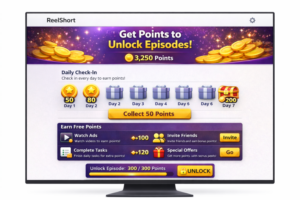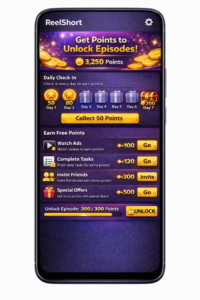
Below, you’ll find a clear, practical walkthrough on how to unlock the ReelShort series you enjoy and keep watching without buying a full subscription. A lot of people assume locked episodes automatically mean you must pay, but that’s not always the case. ReelShort uses a rewards-and-points model, and anyone who understands how it works can unlock episodes for free. This guide breaks down how to earn points, use them to open chapters, and continue watching without spending money.
The good news is that ReelShort offers more than one way to unlock episodes without paying, whether you’re watching on a phone or using a computer. Once you learn how the platform functions — especially the points system — it becomes much easier to keep following a series even after the initial free episodes end.
In this guide, you’ll discover how to watch ReelShort series step by step, how to earn reward points, and how to stretch free viewing as much as possible.
Even though ReelShort is built mainly for mobile, many viewers look for how to watch ReelShort on a computer or laptop. If you prefer a larger screen or want to watch from home, the methods below explain what’s available — including how to collect rewards and unlock episodes at no cost.
Can You Watch ReelShort on a Computer?
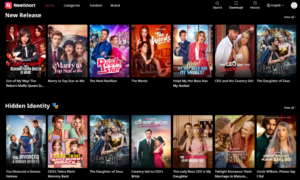
Yes. You can watch ReelShort on a desktop or laptop, even though there isn’t an official PC app.
At the moment, there are two main options to use ReelShort on a computer:
- Accessing the official ReelShort website
- Running the app through an Android emulator
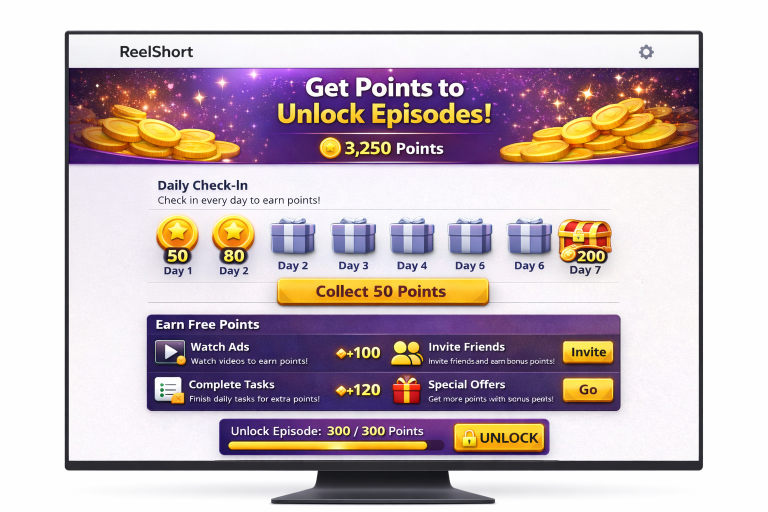
Method 1: Watching ReelShort Through a Web Browser
Steps to watch ReelShort online:
- Open the browser of your choice (Chrome, Edge, Firefox, Safari)
- Visit the official ReelShort website
- Sign in to your account
- Pick a series and start watching
⚠️ Important:
The browser version may not include every feature found in the mobile app. For example, tools like daily rewards or ads that grant points can be reduced or unavailable depending on the platform.
Method 2: Watching ReelShort on PC Using an Android Emulator
If you want the full ReelShort app experience on a computer — including easier access to rewards and free unlocks — using an Android emulator is usually the best solution.
Recommended Android Emulators
- BlueStacks
- NoxPlayer
- LDPlayer
How this method works:
- Install an Android emulator on your computer
- Open the emulator and launch the Google Play Store
- Download and install the ReelShort app
- Log in with your usual account
- Earn points and unlock episodes the same way you would on a phone
This approach typically gives full access to the ReelShort reward points features.
How to Earn ReelShort Reward Points on a Computer
When using an emulator, users can usually:
- Claim daily login rewards
- Watch ads in exchange for points
- Complete missions inside the app
- Unlock episodes without paying
If you watch directly through the ReelShort website, some earning options may be missing or limited.
Is ReelShort Free on PC?
ReelShort can be partly free on PC — especially through an emulator. While certain episodes may still require payment, the rewards system can help you:
- Reduce the amount you’d normally spend
- Open some episodes for free
- Unlock more of a series over time with consistent point earning
Advantages of Watching ReelShort on a Computer
- Bigger screen for a more comfortable view
- Better sound quality depending on your setup
- More comfort during longer viewing sessions
- Great for watching many episodes in a row
Final Conclusion
Watching ReelShort on a computer is completely possible and can be a solid option for anyone who prefers a desktop setup. If you want the most complete access to reward points and free unlock features, using an Android emulator remains the most effective method.
Whether you’re on mobile or PC, ReelShort gives viewers multiple ways to enjoy short drama series without paying.
You will be redirected to another website.